Export Listings XML
Export listings as an XML feed URL for other platforms and your website.
Export Listings XML
PropertyList.es enables you to effortlessly export your property listings as an XML URL, a powerful tool for expanding your reach across multiple platforms including your own website.
To import your own direct listings to your account, click here
Requirements
- A PropertyList account with administrative privileges.
Steps
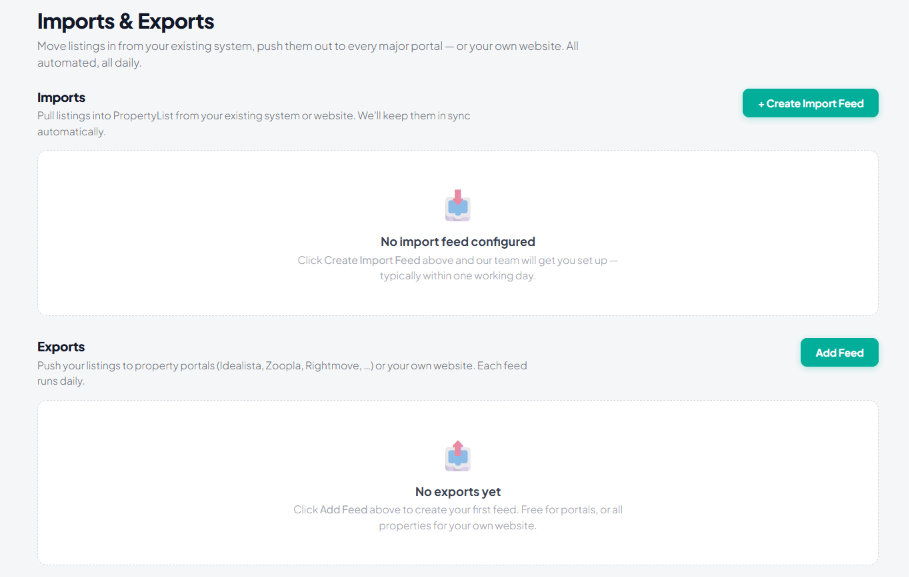
- Access the Export Section: Log in to your PropertyList.es account and navigate to the “Import & Exports” tab on the left-hand side menu.
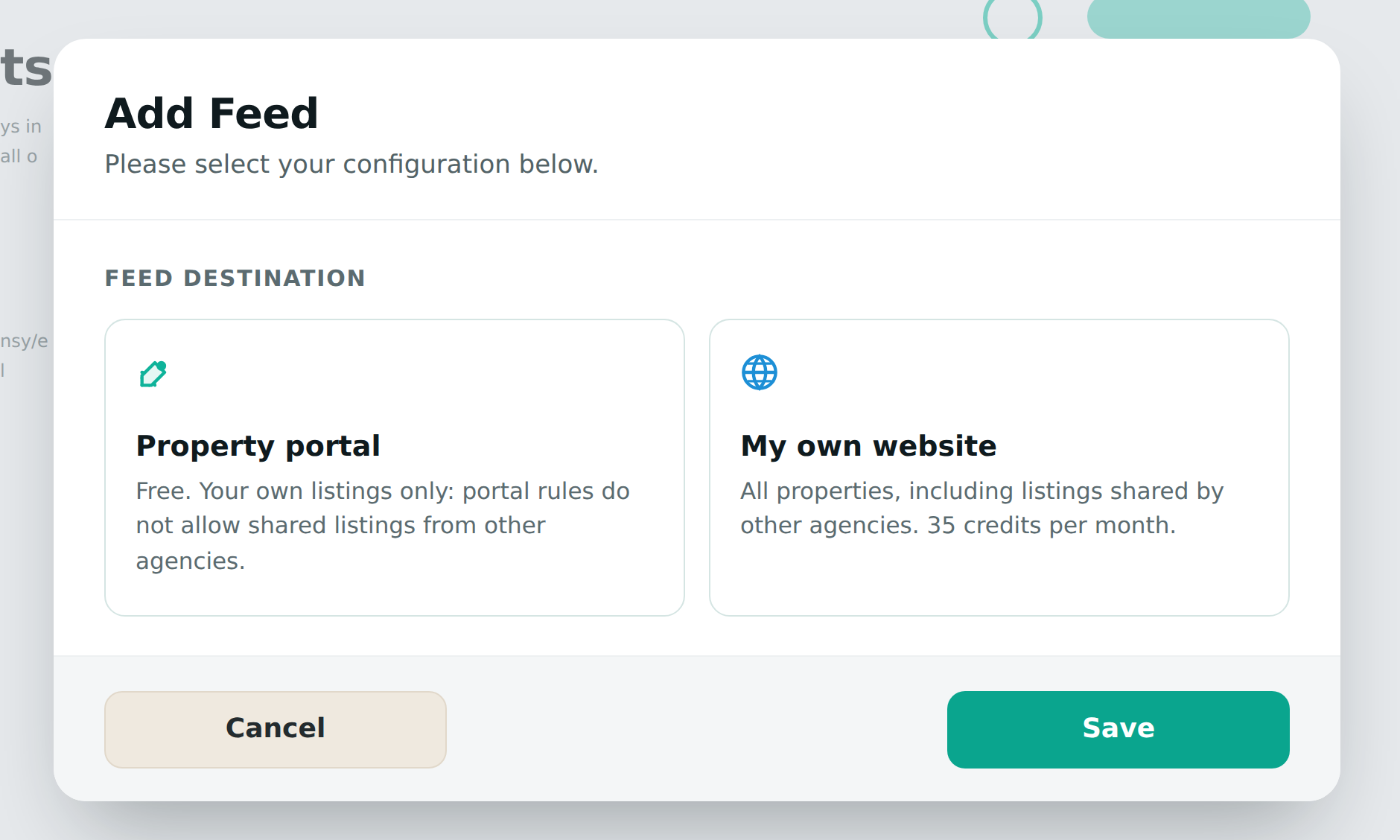
- Choose the feed destination: Click “Add Feed” and pick where the feed is going. Property portal sends your own listings to a portal (free; portal rules do not allow shared listings from other agencies). My own website can send everything - your own listings free, or all properties in the network including listings shared by other agencies for 35 credits a month.
- Filter Properties (Optional): Customise which properties are included using the filters below. If no filtering is selected, the export will include all of your listings.
- Private Notes: Add a note for this feed.
- Property Order: Choose to order properties by newest or oldest first.
- Max Listing Count: Set a maximum number of properties to export.
- Include Sales: Checkbox to include properties for sale.
- Set Prices (Sales): Select minimum and maximum sale prices.
- Include Rentals: Checkbox to include properties for long-term rent.
- Set Prices (Rentals): Select minimum and maximum monthly rental prices.
- Location: Focus on specific areas by exporting listings within chosen locations.
- Property Type: Select specific property types (e.g., apartments, villas, commercial spaces).
- Bedrooms: Filter based on the number of bedrooms (e.g., studios, 1-bedroom, 2+ bedrooms).
- Features: Filter based on available features like swimming pools, parking, or balconies.
- Tags: Utilise any relevant tags you’ve assigned to your listings to further refine the export (e.g., “luxury”, “sea view”, “Idealista”).
Each export has different criteria.
- Initiate the Export: Click “Save” to start the export process. You will receive a confirmation message.
- Obtain the XML URL: Upon successful export, PropertyList.es will provide an XML URL. Copy this URL to share it with other platforms.
- Edit / Disable: You can edit or disable your feed in the “Import & Export” main section.
Notes
- Regular Updates: When you export to your website, it will be updated every 24h until you turn off the feature.
- Backup: Always keep a backup of your website and original listings before making any changes.
- XML Structure: Understanding the XML file structure isn’t required when using this method.
By following these steps and taking advantage of the optional filtering capabilities, you can export your property listings as a tailored XML URL on PropertyList.es. This exported data can then be uploaded to numerous websites, significantly increasing your reach and streamlining your listing management process.
Note: properties marked as private listings (do not share) are excluded from all export feeds automatically.
Pricing: generating an XML feed of your own listings is free - to other portals or to your own website. The 35 credits a month applies only when you export all network properties to your own website.
What the screen looks like
Good to know
- Feeds run daily. Set one up once and it keeps itself current - there is nothing to re-send.
- Your own listings are always free to export - to portals or to your own website. The only paid feed is the whole network to your own website.
- Imports are set up for you. Click + Create Import Feed and the team configures it, typically within one working day.
Next steps
- Sync to your own website
- Send listings to other portals
- Import properties - bringing stock the other way.