Import Properties: Sync Your Existing Portfolio
Transitioning to a new digital infrastructure should be fast and frictionless. If you already manage a large portfolio of direct mandates, you do not need to manually input every listing. The PropertyList Smart MLS allows you to seamlessly import your existing property database to get your agency operational on the network immediately.
Preparing Your Import URL
To begin the import process, you will need a direct data feed from your current property listing software or private website.
- Locate your XML Link: Before or during the sign-up process, ensure you have generated your import URL from your current provider.
- Strictly "Own Properties": To maintain the integrity of the collaborative grid, this URL must point to an XML feed containing only your direct, exclusive property data. You cannot import properties that belong to other co-broking agencies.
The Import Workflow
- Initiate During Sign-Up: The most efficient way to deploy your database is during your initial account creation.
- Paste the Link: Simply paste your import URL into the designated field to start the automated import process. Our advanced software is engineered to handle all major XML formats seamlessly.
- Approval Process: Once the data is processed, your listings will enter a queue. Your portfolio will be officially approved and pushed live to the shared network, usually within a few business hours.
(Note: if you hit any technical issue with your feed format, contact support and we will help. Importing is free, and so is exporting your listings to other portals.)
Post-Registration Imports
Please note: Automated XML imports are primarily accepted during the initial sign-up phase to quickly upload your baseline properties.
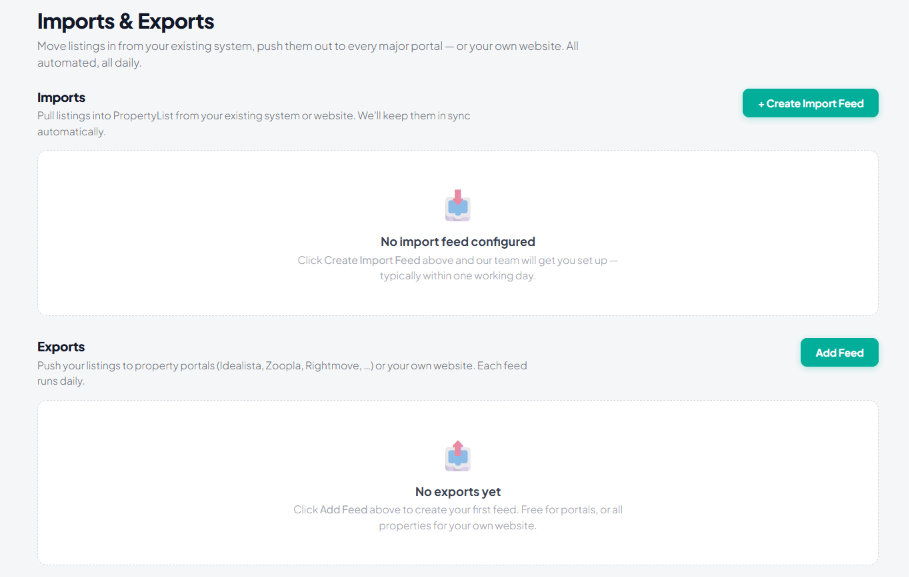
If you did not upload your portfolio at sign-in, or if you need to add or update your XML link later, send the feed URL to [email protected] and our team will connect it for you. You can see your feeds on the Import & Exports screen in the left sidebar once they are running.
Syncing Both Ways
Our ecosystem is designed for two-way data flow. Once your properties are imported and active on the grid, you can also pull shared co-broking inventory back to your own private website. To learn how to distribute properties outward, please review our guide on how to Export Properties.
What it looks like