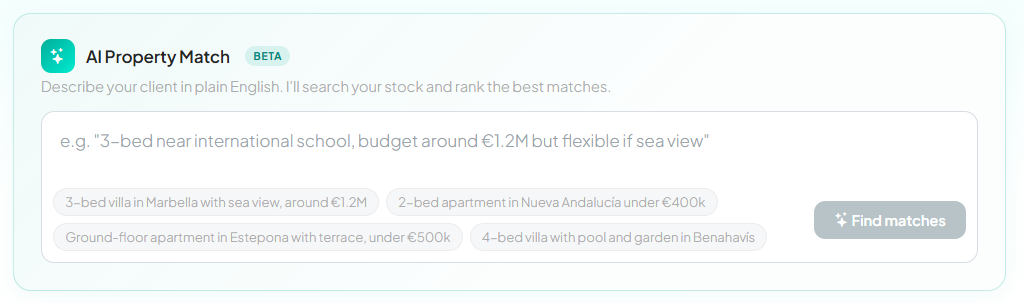
AI Property Match turns a client's message into a ranked shortlist - from your own stock first, then the whole MLS network of shared properties. Instead of re-typing a brief into filters, you paste it - even a forwarded WhatsApp - and the AI reads it, builds the search and ranks your matching listings.
Find it in your agent dashboard - describe your client in plain English.
How to use it
Open AI Property Match from your dashboard.
Type or paste the client's request - e.g. "3-bed near international school, budget around €1.2M but flexible if sea view". The example chips show the kind of phrasing that works.
Click Find matches.
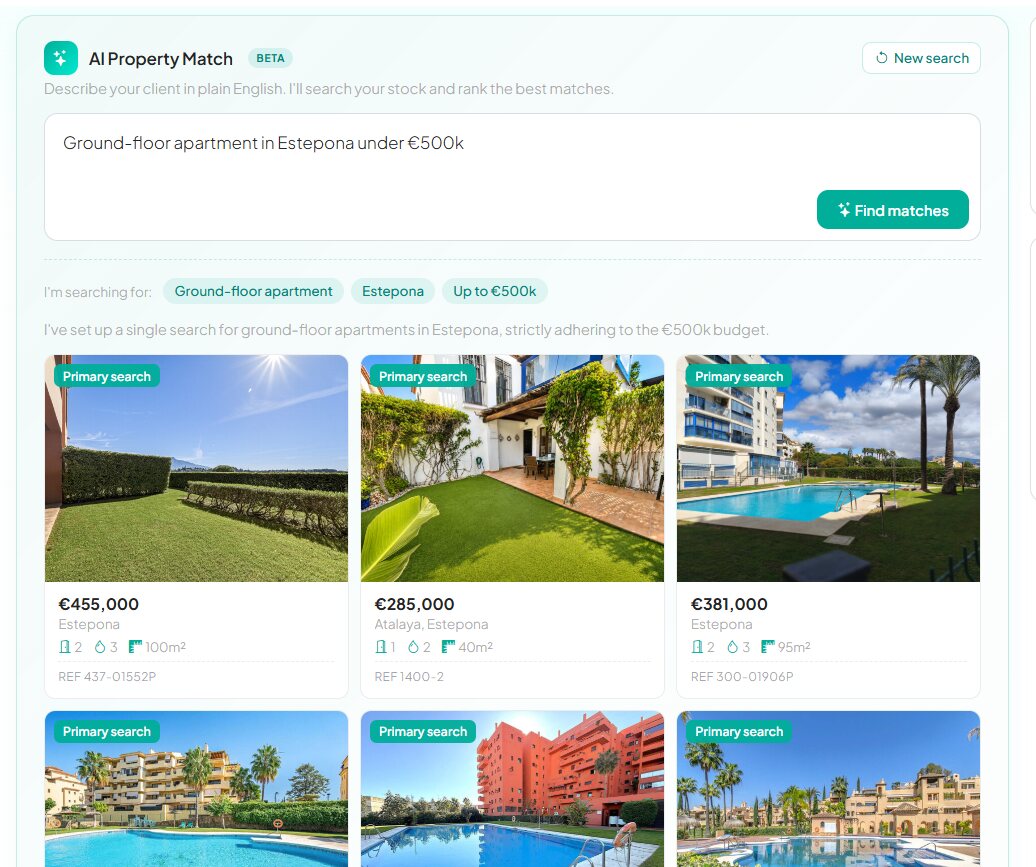
Check the chips: the AI shows what it understood (type, area, budget, must-haves). If something is off, reword and search again.
Review the ranked results - your own listings lead ("Primary search"), with matches from the whole shared MLS network behind them, each with its reference - and share the winners with your client.
The chips show what it understood; the results are your own live listings, ranked.
Good to know
Real listings only - the AI interprets the words; results are always live properties from your stock or the shared network.
Budgets are respected - a stated ceiling is treated as a hard limit unless the brief says it is flexible.
No perfect match in your stock? The network results mean another agency may have it - and you can still close the deal through the MLS.
Beta - AI Property Match is included with the free MLS while in beta, and it keeps improving.