Automations & Lead Routing: Streamlining Your Workflow
In a high-velocity real estate market, manual data entry and delayed response times are critical liabilities. PropertyList automates parts of your daily workflow with software and automation.
By deploying smart operational rules, instant notifications, and efficient lead routing, your agency can ensure that no prospect falls through the cracks and every opportunity is instantly actioned by the correct team member.
Core Strategic Capabilities
The platform provides tools to automate client nurturing and streamline team management:
- Tailored Property Alerts: Create detailed client profiles with automated property alerts. When a matching mandate hits the MLS, your system automatically notifies you to let the client know.
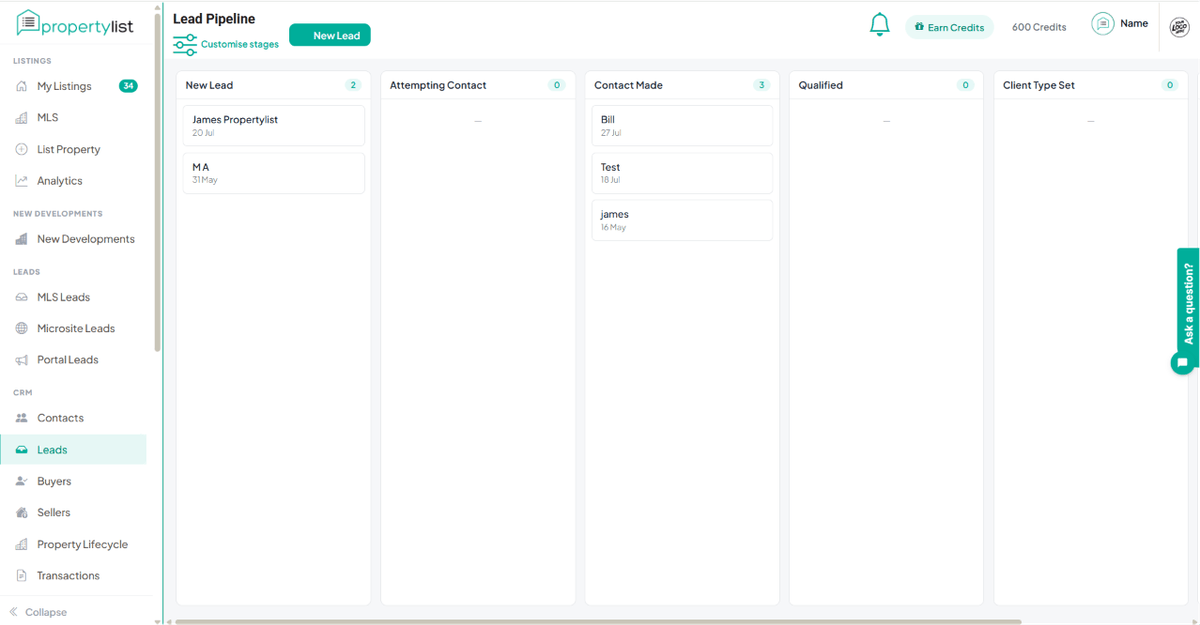
- The Sales Pipeline & Client Journey: Once a lead is assigned, you can manage their entire lifecycle using the built-in Sales Pipeline. This provides free, high-level oversight of your deal flow, allowing you to track the client's journey visually and generate progress reports. Furthermore, every client profile features an automated History Timeline that logs all interactions between the contact and specific properties.
- Intelligent Lead Routing: Whether you are generating direct MicroSite leads, public Portal leads, or internal MLS leads from co-broking professionals, the infrastructure allows you to instantly convert a raw lead into a saved contact. From there, administrators can assign the contact to a specific staff agent, ensuring accountability and rapid response times.
- System Notifications & ReQuests (Coming Soon): Maintain total oversight of your communication pipeline. The ecosystem effectively tracks incoming Agent ReQuests and Client ReQuests, generating internal notifications so your assigned staff can react to inquiries immediately.
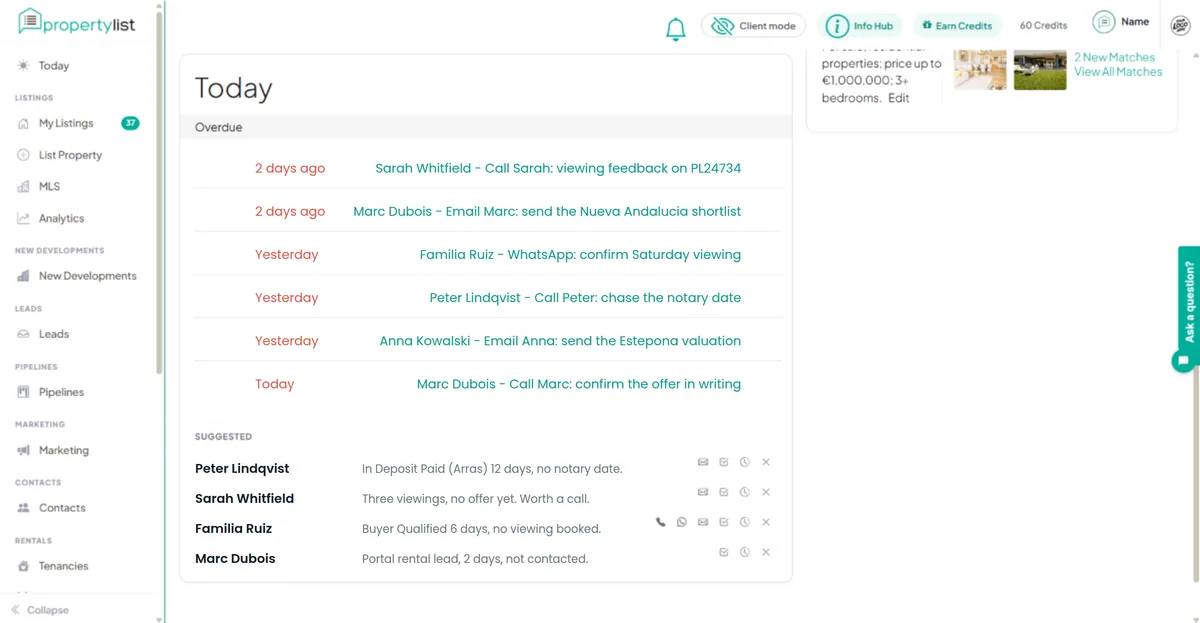
- Nurture and automated follow-up (live): When a deal is won or lost the contact moves into the Nurture pipeline, which sends relationship emails on their own dates and opportunity emails tuned to what they are, watches for intent, and hands the contact back to you the moment they show it. It comes with Automation and Nurture, which is free, together with the Daily Action Queue.
- AI funnels and chatbots (coming soon): Conversational AI that qualifies an enquiry before you see it is still in development. Nothing on this page depends on it.
Step-by-Step: Automating the Client Journey
To move from initial inquiry to an active, automated property search, execute this workflow within your digital headquarters:
- Step 1: Capture and Convert As new direct leads flow into your dashboard via your MicroSite or the public portal, utilise the CRM tools to convert the inquiry into an official contact profile.
- Step 2: Assign Accountability Navigate to the newly created contact profile and assign the contact to a dedicated staff agent. This establishes a clear chain of command, ensuring the correct team member assumes ownership of the deal and receives all relevant future notifications.
- Step 3: Add to the Sales Pipeline Immediately insert your new client into the Sales Pipeline to begin tracking their journey. As the agent conducts viewings and negotiates offers, they can update the pipeline stages, allowing agency directors to monitor exact deal progression and generate real-time progress reports. All property interactions will be securely recorded in the client's automated History Timeline.
- Step 3: Deploy Automated Alerts Within the client's profile, set up specific MLS property alerts based on their buying or renting criteria. The infrastructure will now take over, continuously scanning the market and automatically dispatching relevant inventory directly to the prospect.
Next steps
- AI Property Research Agent
- MLS support - if you need a hand.
- Roadmap - what is coming next.