Property pipeline
Your stock board: every stage from Off Market to Deed Signed, what moves on its own, and the one-click Fell Through when a deal collapses. Free, with editable stages.
The Property pipeline is your stock. It is about the properties themselves rather than the people, and it shows where each one is on the way to a sale.
It is free, with no limits, and you can edit the stages to match how your agency works. Featured properties sit at the top of the board with a tag.
Where to find it
Open Property in the left sidebar. See the sidebar map if you are not sure where that is.
How properties get on the board
Automatically, landing in Active Listing when they go online. Properties you already had were placed on the board from their publishing status, so there is nothing to set up.
The stages
- Off Market
- Coming Soon
- Active Listing
- Marketing Active
- Viewings in Progress
- Offer Received
- Negotiation
- Offer Accepted
- Reservation Paid
- Deposit Paid
- Mortgage in Progress
- Notary Appointment
- WON, Deed Signed
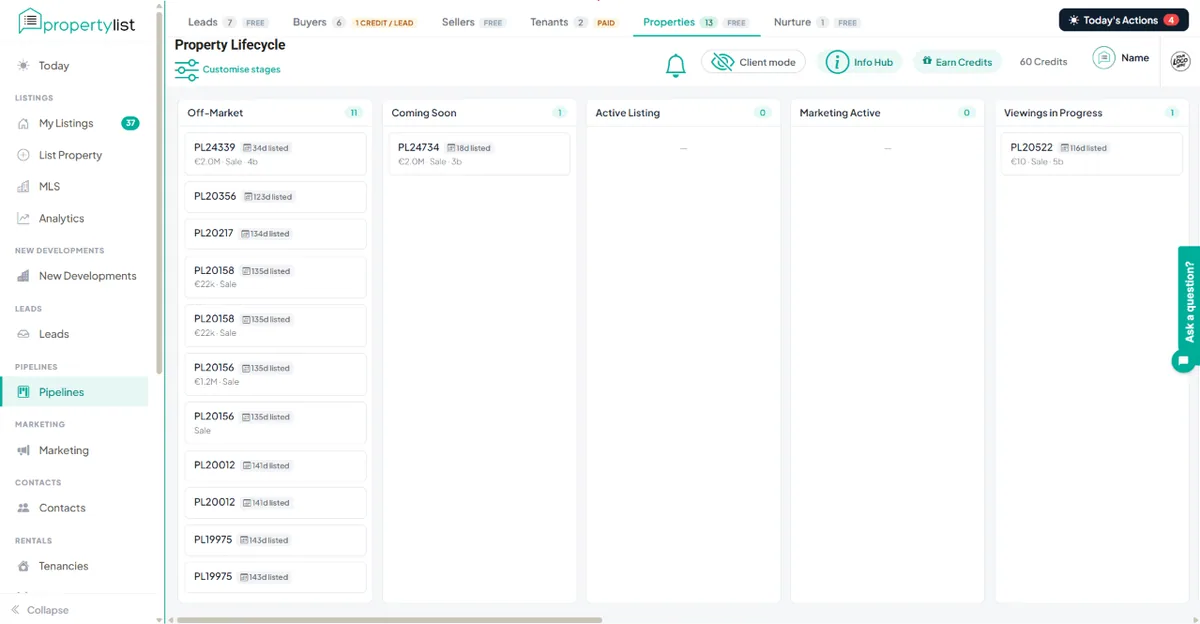
Two of those move on their own. A property shifts to Marketing Active once paid marketing is running on it. And at WON you are asked for the seller's details, the sign date, the move-out date and marketing consent, after which the seller goes into Nurture.
When a deal collapses
Deals fall apart after reservation more often than anyone admits, so there is a one-click Fell Through from any stage after an offer. The property goes back to Active Listing, the seller is notified and matching re-opens. You do not drag cards backwards through six stages.
If the seller pulls the listing instead, Withdrawn or Expired is the exit, and they move into Nurture on the seller sequence.
What the board chases for you
- Days on market shows on every card.
- A price-review task is created automatically when a property has gone a set number of weeks without an offer. The interval is configurable.
- Sellers who will buy again get an email once their property is live, sent after you approve it in one click.