Photos, videos and media limits
The full reference for listing media: 25 free photos, up to 100 per listing, video formats and sizes, prices, publish-time billing, refunds and the feed consent flow.
Every listing carries up to 100 photos and any number of videos. The first 25 photos are free; beyond that, media is a paid extra, always charged at Publish and never without you seeing the price first. This page is the full reference: limits, formats, prices, and how the consent flow works for feed-imported media.
Photos
| Free allowance | 25 photos per listing |
|---|---|
| Maximum | 100 photos per listing |
| Extra photos | 1 credit each (photo 26 and beyond) |
| Minimum quality | At least 400 x 300 pixels. Smaller files are rejected at import. |
Photos you had before the launch of paid extras are grandfathered: listings already over 25 photos at launch keep everything live, free, permanently.
Videos
| Formats | MP4 (recommended, H.264 video + AAC audio), M4V, WebM, MOV. Other formats (AVI, WMV, MKV) cannot play in browsers and are not accepted. |
|---|---|
| Size | Up to 200MB per file uploaded in the CRM. Feed videos play from your feed provider's hosting and have no fixed cap; under 500MB is recommended. |
| Length | No enforced limit; 2 to 3 minutes works best. |
| Number | Unlimited per listing. |
| Price | 5 credits per video. |
Adding media in the CRM
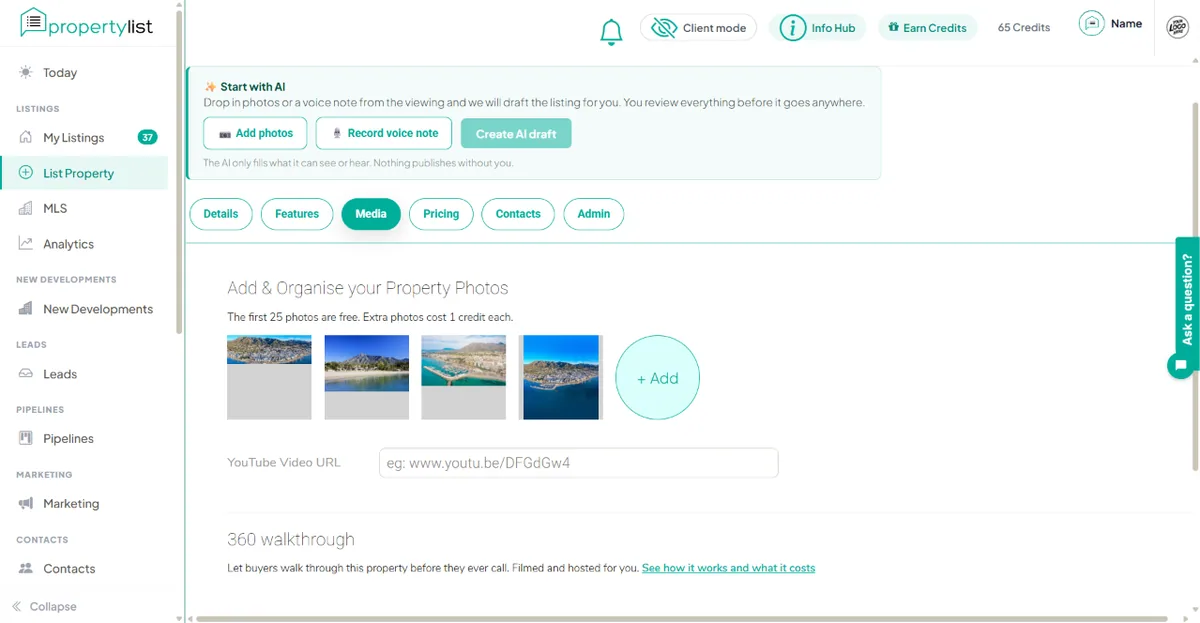
- Open the listing and go to the Media tab.
- Photos: drag files into the photo grid, reorder by dragging, and set the lead photo first in the order.
- Videos: use the Videos section below the photos to upload files. Each video shows whether it is already paid or will bill at the next publish.
- Save as often as you like. Saving never charges anything; the form shows the exact cost of any unpaid extras.
- Press Publish. The listing bills its unpaid extras in one charge. If your credit balance is short, the publish is refused whole with the amount needed, and nothing is taken.
When you publish, and when you are refunded
- The charge happens once, at Publish, for exactly the extras the listing carries at that moment.
- If the listing is rejected in review, for any reason, the full media charge is refunded automatically.
- Media you have paid for stays paid: republishing the same listing later does not charge for it again.
- Deleting a paid photo or video does not refund it.
Media arriving in your XML feed
Imports save everything your feed sends (up to the 100-photo ceiling). The first 25 photos publish as normal. Extra photos and any videos are held hidden, unpublished and uncharged, until you decide.
When held media exists, you get one notification in the CRM bell and by email, with the totals: how many photos, how many videos, across how many listings, and the exact credit cost. Three buttons:
- Approve all: one charge, everything goes live immediately. Listings already published update straight away, with no re-approval.
- Reject all: free. The media stays saved but hidden, and we only ask again if new extras arrive later.
- Review each: opens your listings filtered to the ones holding hidden media, so you can approve or decline one by one.
Common questions
My feed sends 40 photos. Do I have to pay? No. The first 25 publish free. The other 15 are held until you approve them at 1 credit each, or decline for free.
What shows on the portal while media is held? Buyers see the first 25 photos and any approved videos. Held media is invisible to buyers everywhere: portal, agent pages, brochures and exports.
A video is in my feed but not on my listing. Check the bell: it is waiting for your approval. Also confirm the file is MP4, M4V, WebM or MOV; other formats are filtered out because browsers cannot play them.
I was charged and the listing was rejected. The refund is automatic and immediate at rejection. Check your credit history; if it is not there, contact us.