Property Intelligence Report (CMA)
Transform hours of manual research into minutes. Discover how to leverage our AI - powered infrastructure to generate comprehensive Comparable Market Analysis (CMA) reports, complete with real - time market data, accurate property valuations, and professional branded presentations to instantly build client trust.
The Property Intelligence Report is the deep, evidence-based read on any single property in the MLS: what the market says it is worth, how the segment is behaving, and exactly how to walk a vendor or buyer through it. It replaces the guesswork in a valuation appointment with numbers you can defend, including notary-verified transaction prices from the official register.
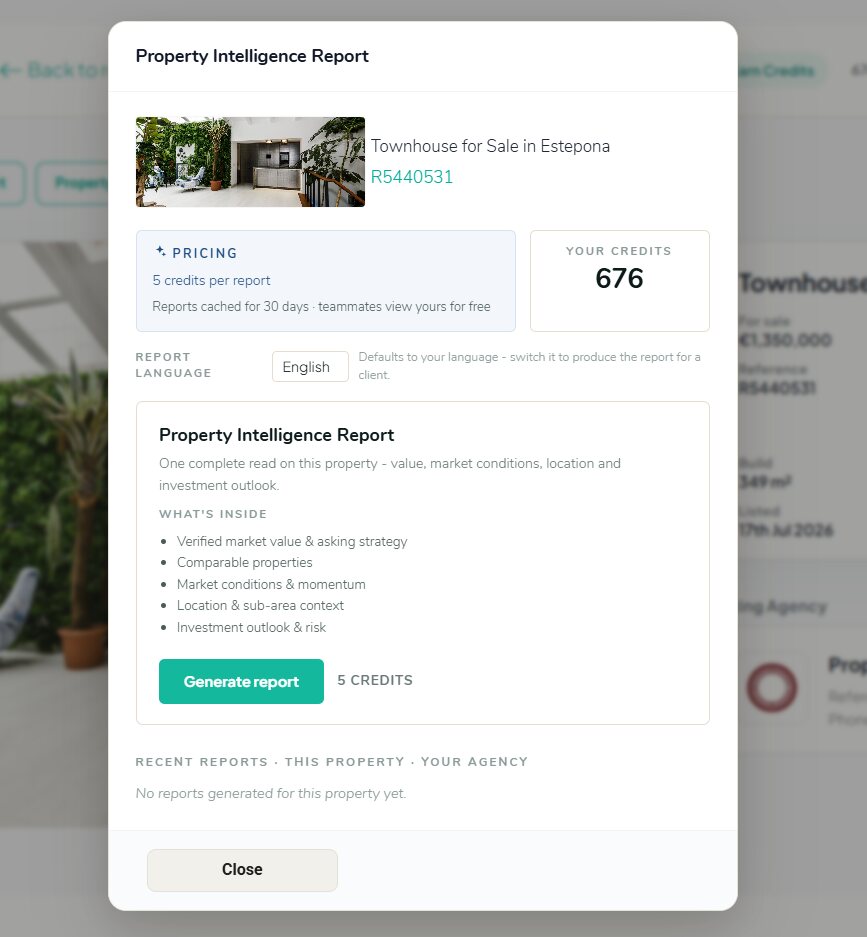
5 credits per report. Reports are cached for 30 days, and teammates in your agency can view a report you generated for free.
Generating a report
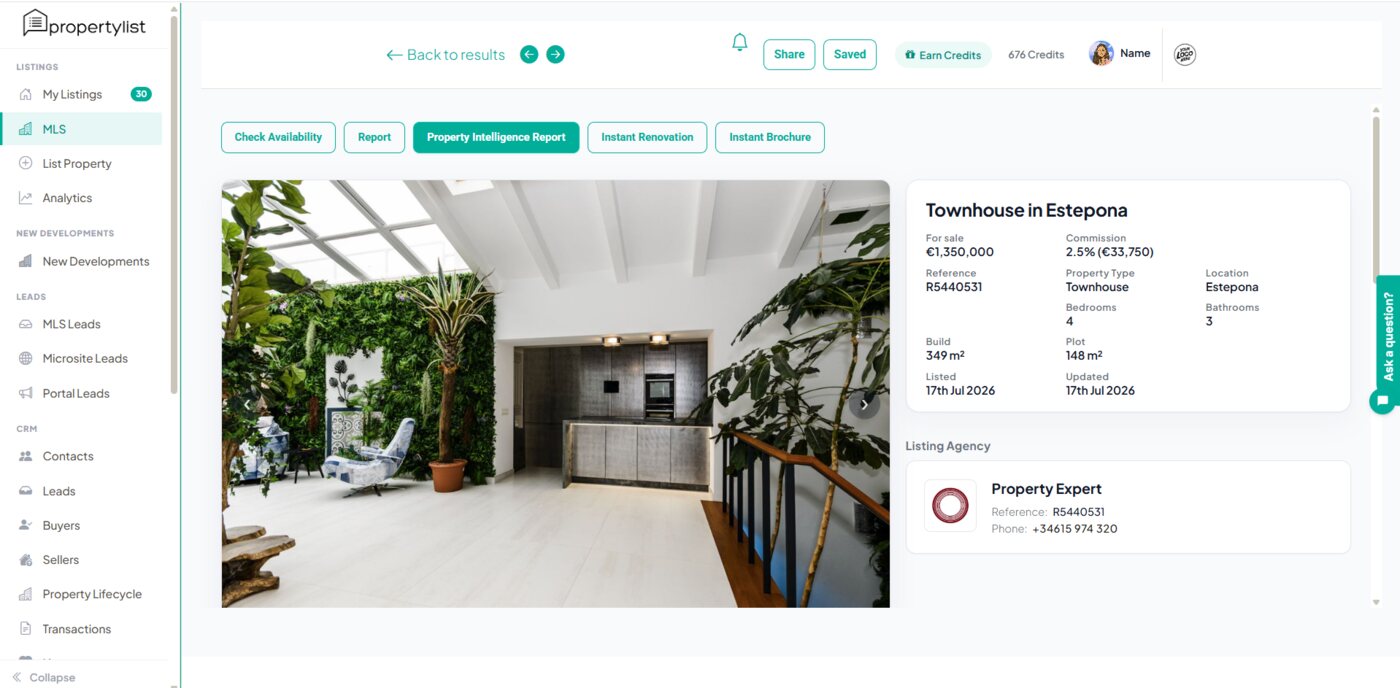
Open any listing in the MLS and click Property Intelligence Report in the action row above the photos.
Choose the report language before you generate. It defaults to your own language, but you can switch it so the report comes out in your client’s language. Then click Generate report.
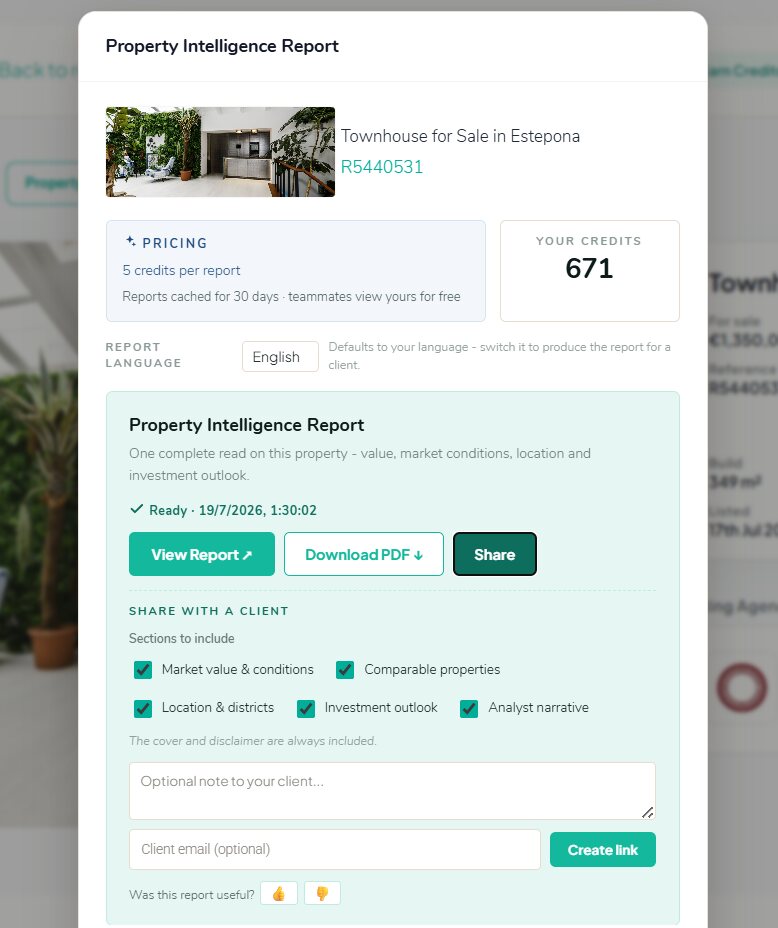
The report builds in seconds. Once it is ready you get three actions: View report, Download PDF, and Share.
The agent brief: how to read it and how to present it
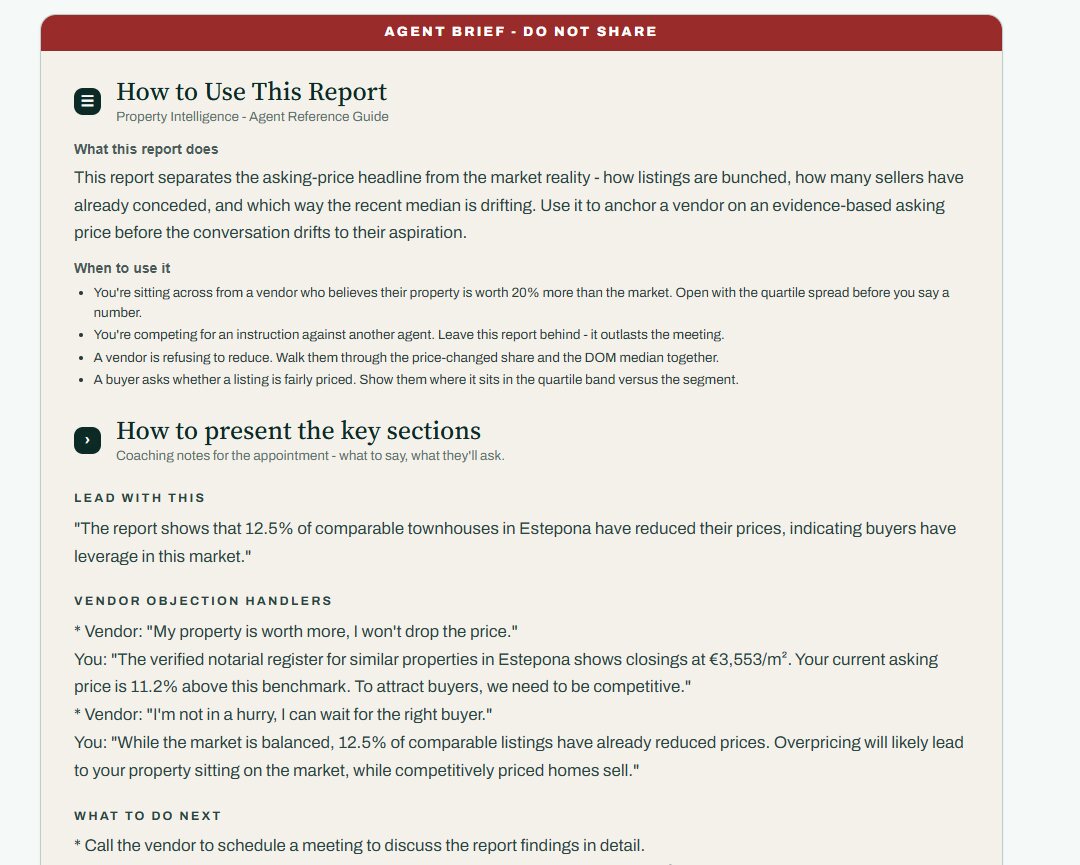
Your own version of the report opens with a section headed AGENT BRIEF - DO NOT SHARE. This is written for you, not the client, and it is the part that turns data into a conversation.
It covers:
- What this report does and when to use it - which appointment types it is built for (a vendor who is 20% over the market, a competitive instruction pitch, a vendor refusing to reduce, a buyer asking whether a price is fair).
- Lead with this - the single strongest line in this specific report, written out ready to say.
- Vendor objection handlers - the objections you will actually hear ("my property is worth more", "I’m not in a hurry"), each with a response grounded in this property’s own numbers.
- What to do next - the follow-up actions after the appointment.
Further down, Red flags in this report tells you which metrics in this particular report need careful handling (thin samples, missing data), and What the metrics mean defines every figure in plain language, so you are never presenting a number you cannot explain.
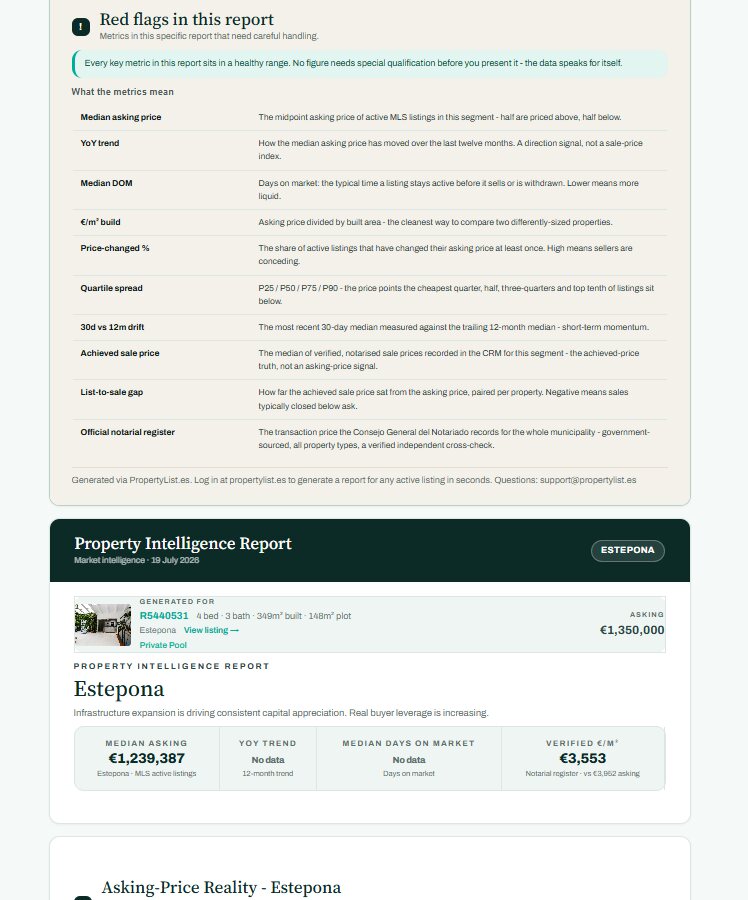
What is inside the report
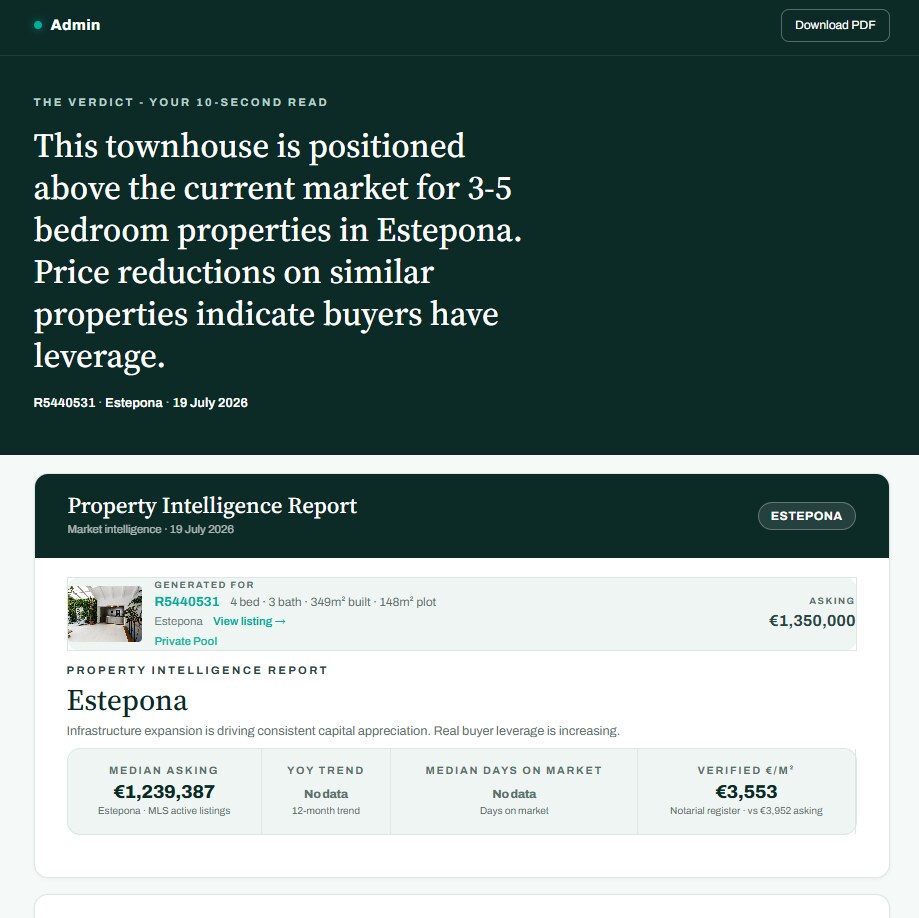
- The verdict - a 10-second read stating where this property sits against its segment.
- Market value and asking-price reality - median asking, YoY trend, median days on market, and the verified €/m² from the notarial register next to the asking €/m².
- Asking-price quartile spread - the lower quarter, midpoint, upper quarter and top 10% of the segment, with a "how to read this" key.
- Asking-price strategy - three positioning options (conservative/fast sale, target/typical days on market, aggressive/patient vendor) with the trade-off of each spelled out.
- Pricing strategy - what to do at launch, at 30 days, and what should trigger a reduction.
- Comparable properties, location and district context.
- Institutional reading - gross and net rental yield, median rent, 12-month volatility, and an investor risk register flagging data reliability, yield viability, exit liquidity, short-term-let regulation and currency risk.
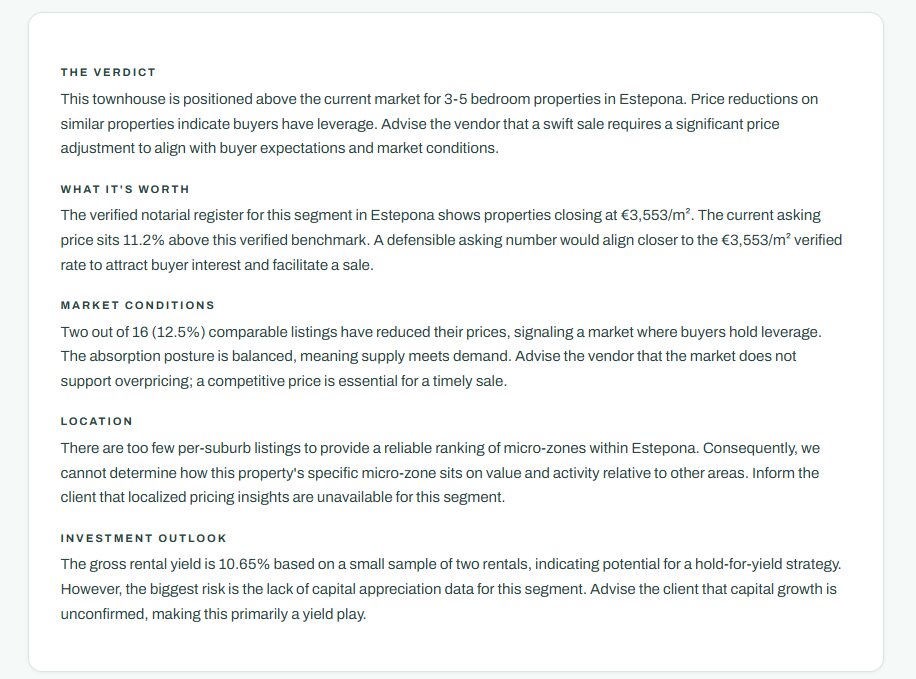
- Analyst narrative - the verdict, what it is worth, market conditions, location and investment outlook written out in prose.
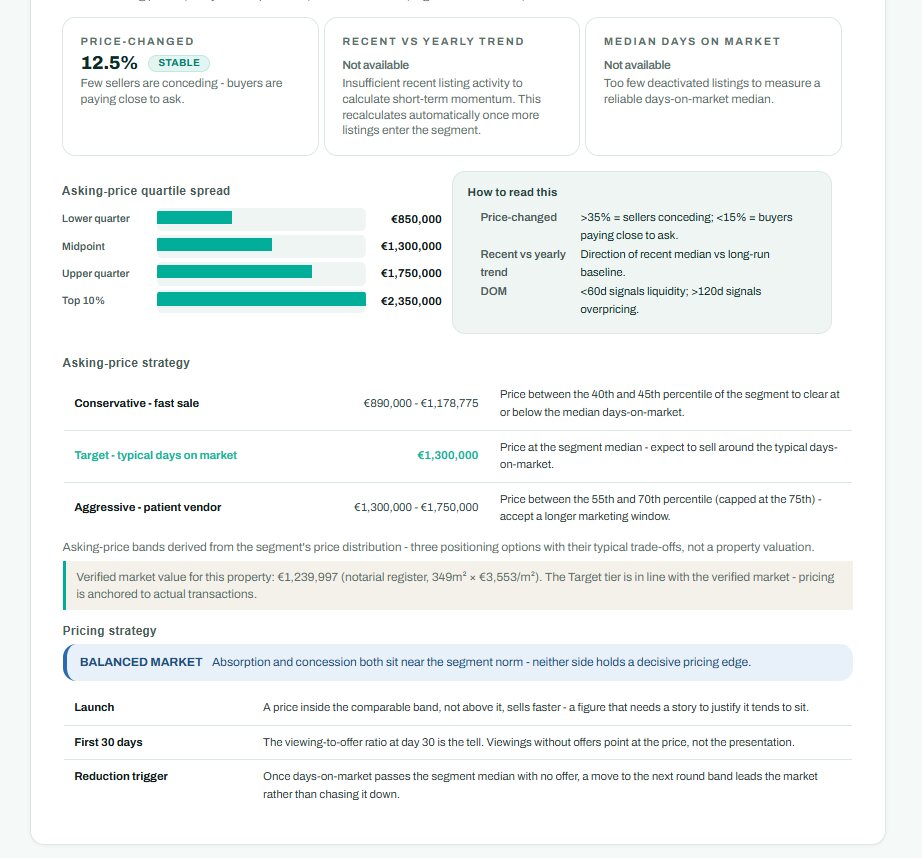
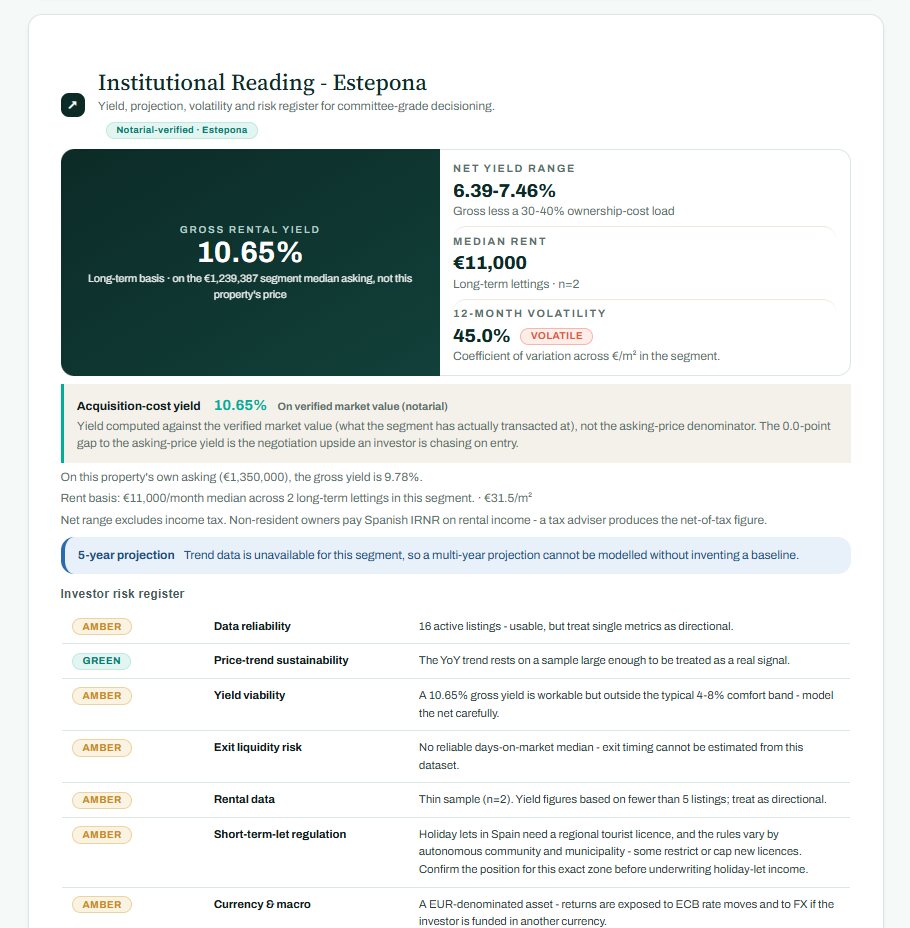
Where the data is too thin to support a claim, the report says so explicitly ("Not available", "too few listings to measure") instead of inventing a figure. That honesty is deliberate: it is what makes the numbers you do present defensible.
Download the PDF (agent copy)
Download PDF gives you the full agent version, including the agent brief. Take it to the appointment and leave it behind after a pitch - as the brief puts it, a report outlasts the meeting. Because it contains your coaching notes and objection handlers, do not send this file to a client. Use a share link for that.
Sharing with a client
Click Share and you build a client-safe version of the report:
- Choose the sections to include - Market value and conditions, Comparable properties, Location and districts, Investment outlook, Analyst narrative. Tick only what serves the conversation. The cover and disclaimer are always included, and the agent brief is never included.
- Add an optional note to your client, which appears with the report.
- Add the client’s email (optional) to have PropertyList send the link for you, or leave it blank and just copy the link.
- Click Create link. The link is created and copied to your clipboard, ready to paste into WhatsApp or an email.
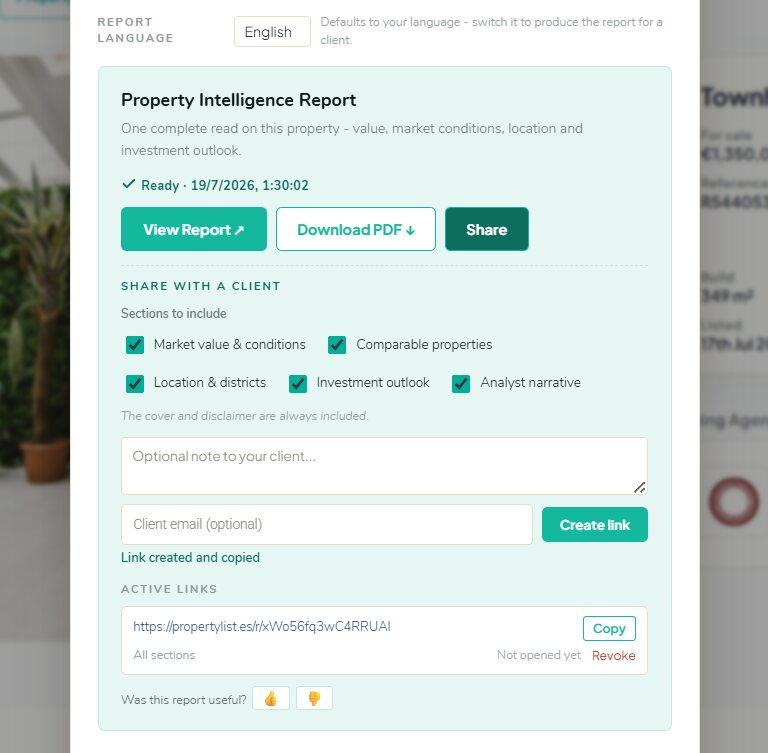
Every link you create appears under Active links, showing which sections it exposes and whether the client has opened it yet - so you know whether to follow up. If a link should no longer work, click Revoke and it dies immediately.
What your client sees is a clean, branded report that opens with the verdict, with a Download PDF button of their own. No credits, no login, no agent notes.
Good practice
- Generate the report before the valuation appointment and read the agent brief on the way.
- Switch the report language to your client’s language before generating.
- Share fewer sections, not more. The verdict plus market conditions lands harder than everything at once.
- Check Active links before you chase: an unopened link is a different follow-up call from an opened one.
- Reports cache for 30 days - if a colleague already ran one on this property, viewing it costs you nothing.
Related: Area Market Reports for whole-area analysis, and how credits and billing work.