On the PropertyList map
Draw the area you want. See the homes inside it.
Town boundaries rarely match where you want to live. On the PropertyList map you draw round the part of the coast you care about, and the results narrow to the homes placed inside your shape.
Open the map Homes to rent on the map
How it works
Search, then press Map.
Start a search for homes to buy, to rent or for a holiday, and switch the results from List to Map.
Press "Draw an area".
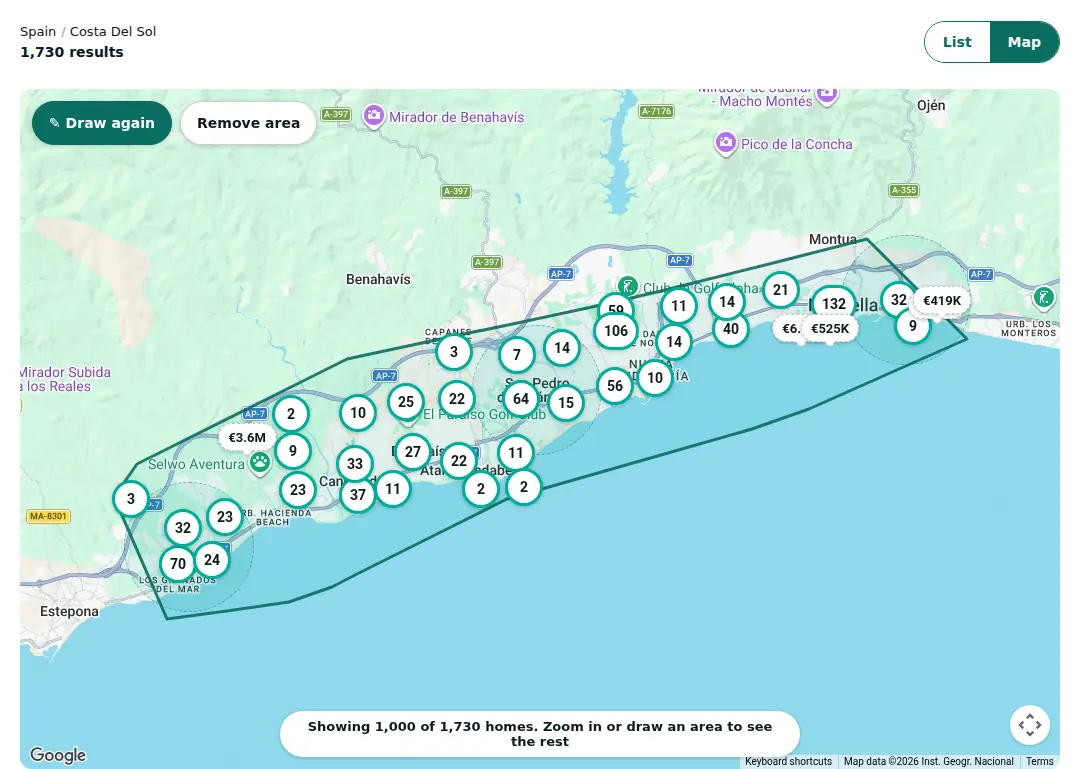
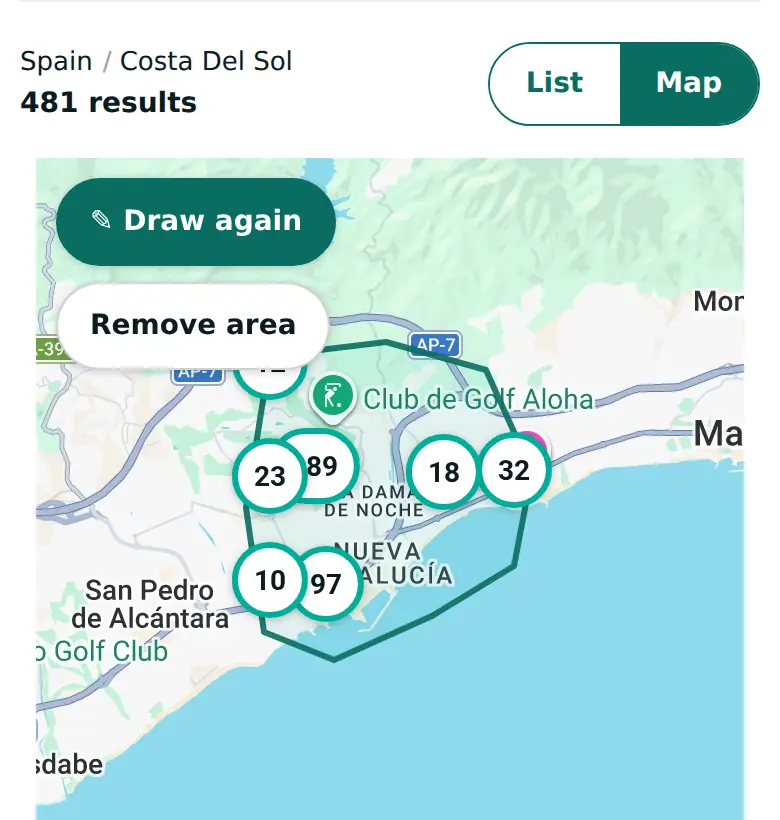
Draw round the area you want with your finger or your mouse.
See what is inside.
The count and the list change to the homes inside your shape. Press "Draw again" to change it, or "Remove area" to go back to the whole search.
Map positions are approximate; some homes sit at their area or town centre.
Ways to use it
An area that crosses town lines.
The coast between two towns, or one side of a valley, can be filed under two different places. Draw it once instead of running two searches.
Near the things that matter to you.
Draw round a school, a beach or a train station to narrow the results to that part of town.
A big search, narrowed.
The map shows up to 1,000 homes at a time, even inside a drawn area. The count and the list cover every home inside your shape; zoom in to see all the pins.
Keep it and share it
Your shape stays when you switch back to the list, and it is part of the page link. Bookmark it, or send it to your partner, and it opens with the same area drawn.
Every home on PropertyList is listed by a registered agency or agent.
Frequently asked questions
Do I need an account to draw an area?
No. Searching, the map and drawing an area are free, with no sign-up.
Does it work on a phone?
Yes. The map asks you to draw round the area with your finger or mouse.
Can I combine it with price and bedrooms?
Yes. Your filters still apply, and the shape narrows them to one area.
How exact is it?
Map positions are approximate. Some homes are placed at the centre of their area or town, so check the location on each listing.
Can I get an email alert for the area I drew?
Not yet. A saved search alert today covers your search and filters, not the shape you drew.
Why does the map say it is showing 1,000 homes?
The map shows up to 1,000 homes at once, even inside a drawn area. The count and the list always include every home; zoom in to see all the pins.